
If your salon already has a phone number your clients know, you don't need to change it — forward calls to your AI receptionist. Here's how.
Choose when your receptionist should answer
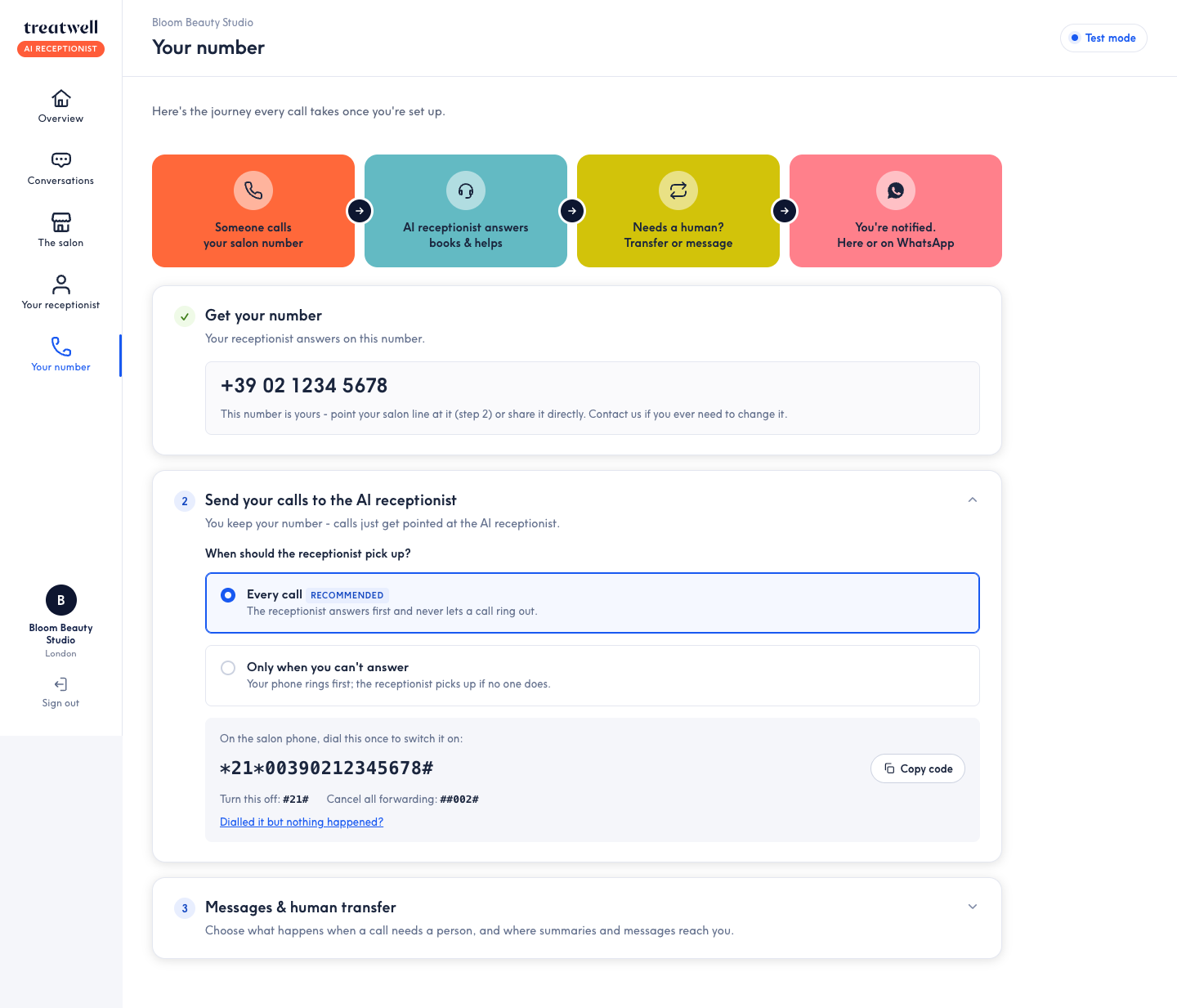
You'll find these settings on the “Your number” page.
Every call (recommended) — it answers first: calls can be handled while your team is busy with clients.
Only when you can't answer — the salon phone rings first; if nobody picks up within a few seconds, the receptionist automatically takes over.
Turn on forwarding from the salon's phone
From the salon's own landline or mobile (not from your computer), dial the code shown on the page — it only needs dialling once to turn forwarding on:
Copy the code with the dedicated button.
Dial it in full on the salon phone, including every * and #.
Wait for the confirmation tone: from that moment, calls reach the receptionist according to the option you chose in step 1.
💡
Forwarding codes and options depend on your phone provider. If the code isn’t accepted, check with your provider how to set up forwarding on your line.
Nothing happened?
If you dialled the code but nothing seems to have worked:
Check you dialled the whole code, symbols included.
Some phone networks take a few minutes to apply the change — try again shortly.
If the problem carries on, get in touch with your Treatwell contact and we'll check it together.
You're all set!
From now on, calls to your salon's number reach the AI receptionist according to the rule you picked. You can:
Turn off forwarding at any time by dialling the deactivation code shown on the same page
Change the forwarding option by following the instructions and any codes shown on the page
Move on to the next step: What happens when the receptionist can't help a client?
If you ever need help, get in touch with your Treatwell contact.
Was this article helpful?