
You can add the information your receptionist uses to answer clients. This article explains how to do this from the Salon → Common questions page.
Unanswered questions
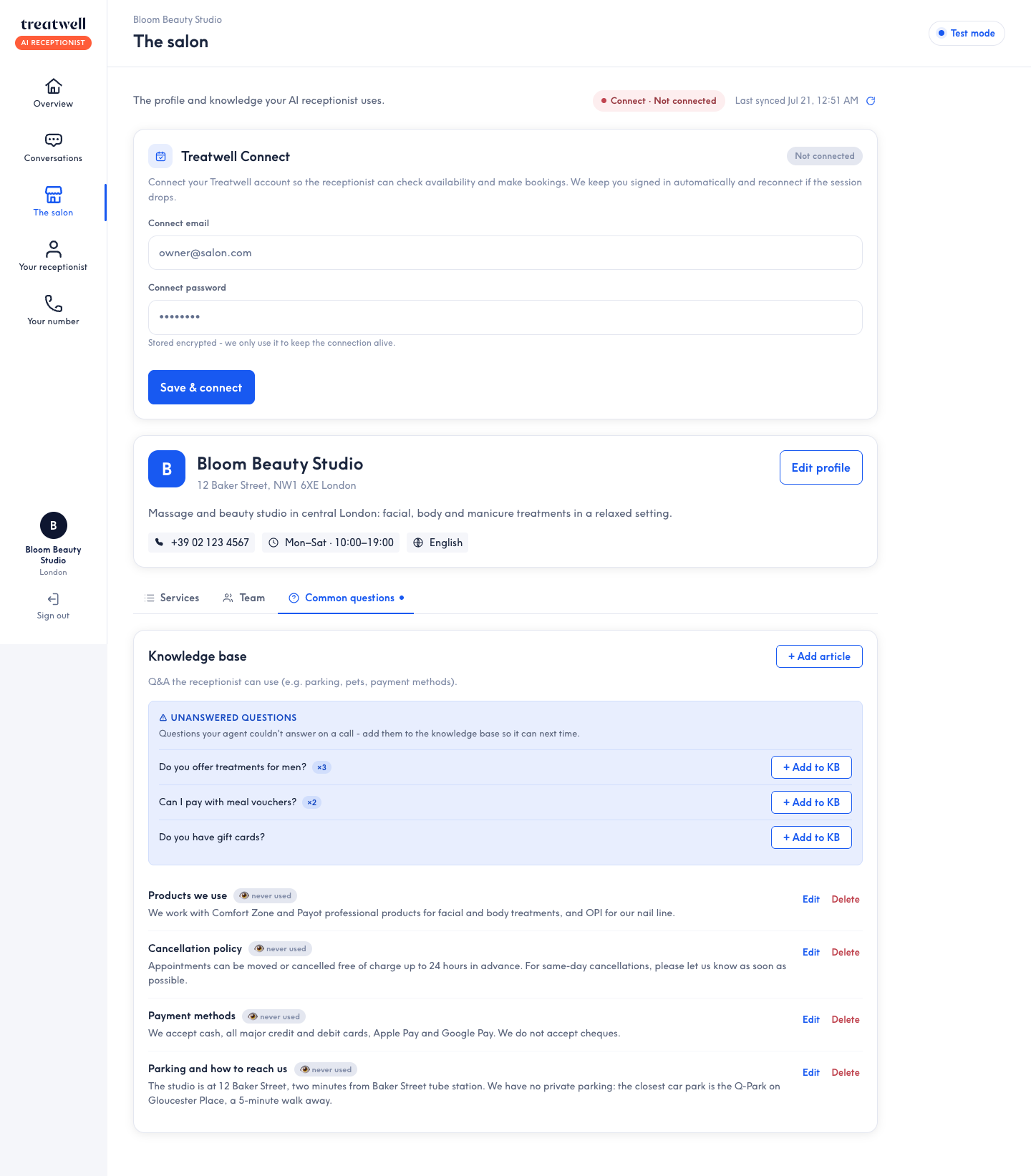
Unanswered questions at the top, your articles below.
Every time a client asks something the receptionist can't answer, the question is saved here — so it's never lost:
You see the exact wording of the question and how many times it's come up.
One click on "+ Add to KB" turns it straight into an article, where you write the right answer.
📌
The more often a question comes up, the more worth answering it is — it means several clients are genuinely asking.
Add an article manually
You can also add answers before anyone even asks, just by thinking about what your clients usually want to know:
Title — the question in short (e.g. "Do you have parking?")
Answer — what the receptionist should say (e.g. "Yes, there's free parking right outside the salon.")
You can edit or delete an article at any time with the Edit and Delete links next to each one.
💡
Write answers the way you'd really talk to a client on the phone — short and direct. The receptionist uses this information to put together its answers.
Which answers get used
Every article shows how many times the receptionist has actually used it on a real call (or "never used", if it hasn't come up yet). It helps you understand which information your clients really ask for most.
You're all set!
With an up-to-date knowledge base:
The receptionist has more information available to answer clients
You can review saved questions that still need an answer
You can keep improving it at any time, even months after activation
If you ever need help, get in touch with your Treatwell contact.
Was this article helpful?