
In the Conversations section, you can review the details and transcripts of calls handled by your AI receptionist.
The conversations list
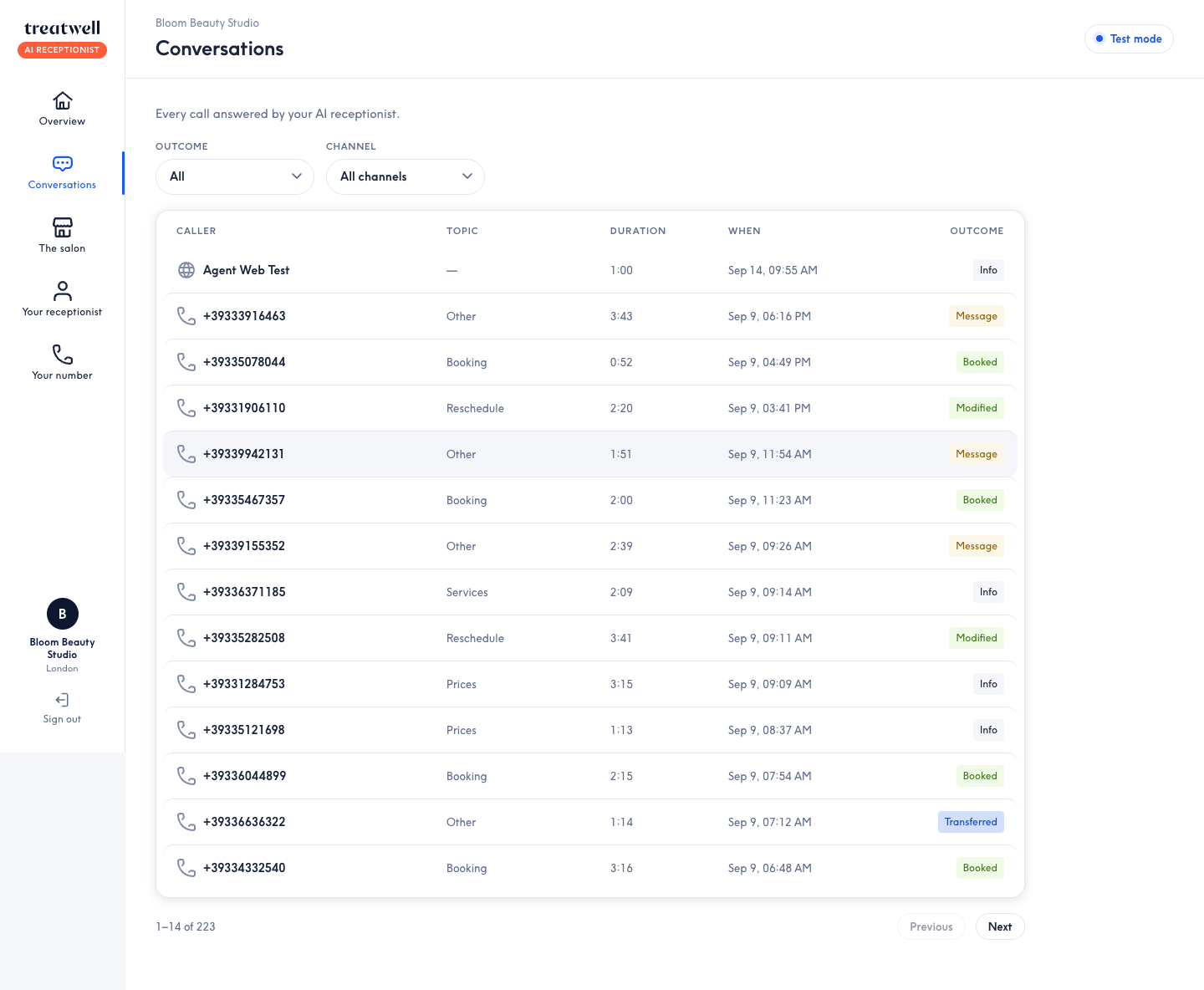
Every call handled by the receptionist, with its outcome, channel and duration.
Each row in the list shows, at a glance, how a call went:
Who called (or "Unknown number", if not available)
The outcome, with a coloured label: Booked, Modified, Cancelled, Transferred, Message, Info or Conversation
The call's topic, its duration, and when it happened
You can filter the list by outcome (for example, only calls that resulted in a booking) or by channel, using the options available in your account.
A call's details
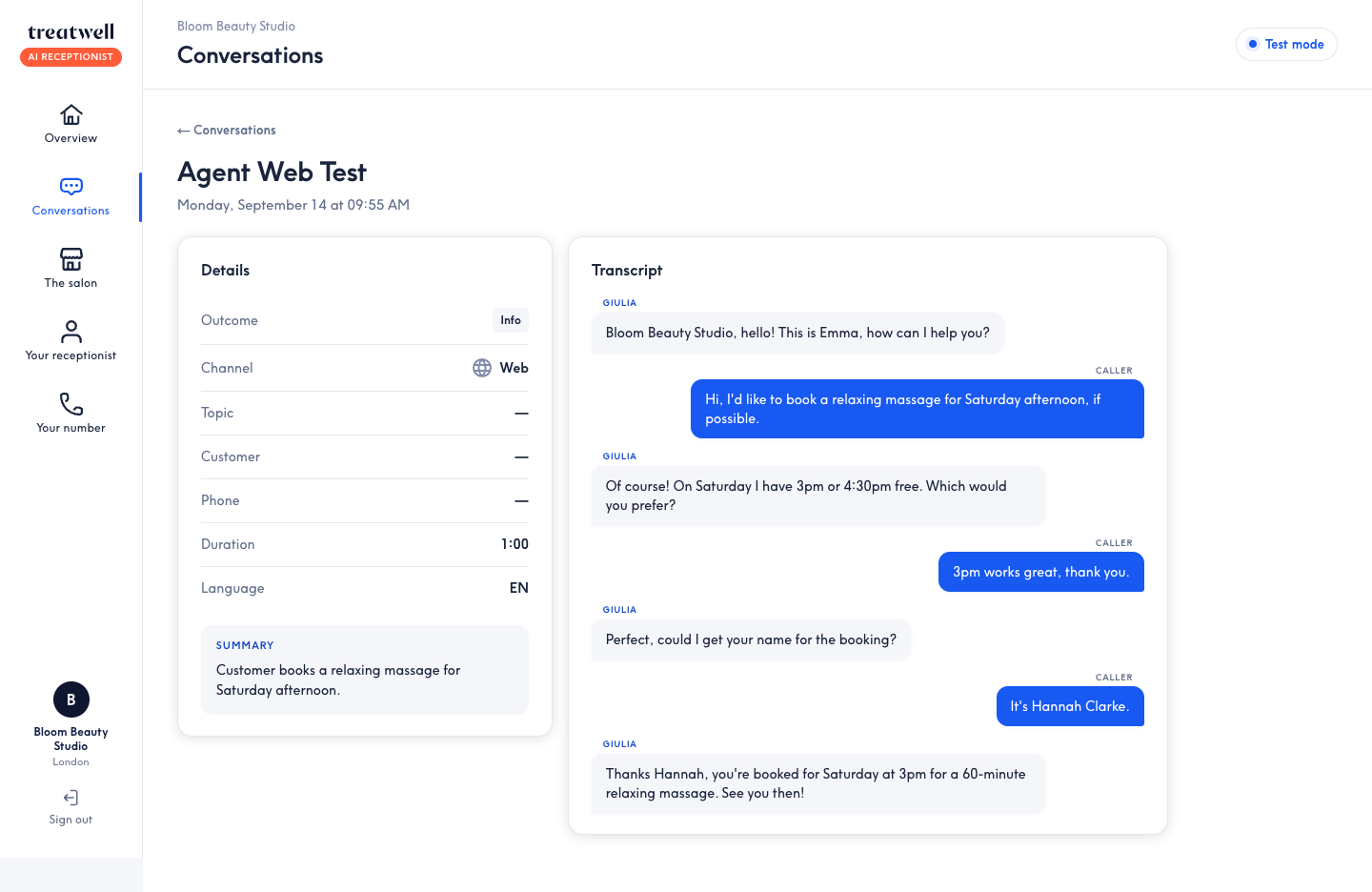
The full transcript and a summary, always one click away.
Clicking on a call shows you:
The full transcript, turn by turn
A quick summary of what happened
The call's details: which agent answered, language, topic
Handy, for example, to check exactly what a client asked for and got, without having to ask them again.
Callback requests
When the receptionist can't resolve a request and the client asks for a callback, you'll find it flagged under "Needs action" on the Overview, as well as in Conversations:
The client's name and phone number (when available)
The reason for the request and their preferred time, if given
A button to mark it done once you've called them back
💡
If you've set up a WhatsApp number for notifications, you get an automatic alert every time a new callback request comes in — no need to keep checking the Overview.
If you ever need help, get in touch with your Treatwell contact.
Was this article helpful?