
Want an easy and effective way to let your clients book appointments commission-free?
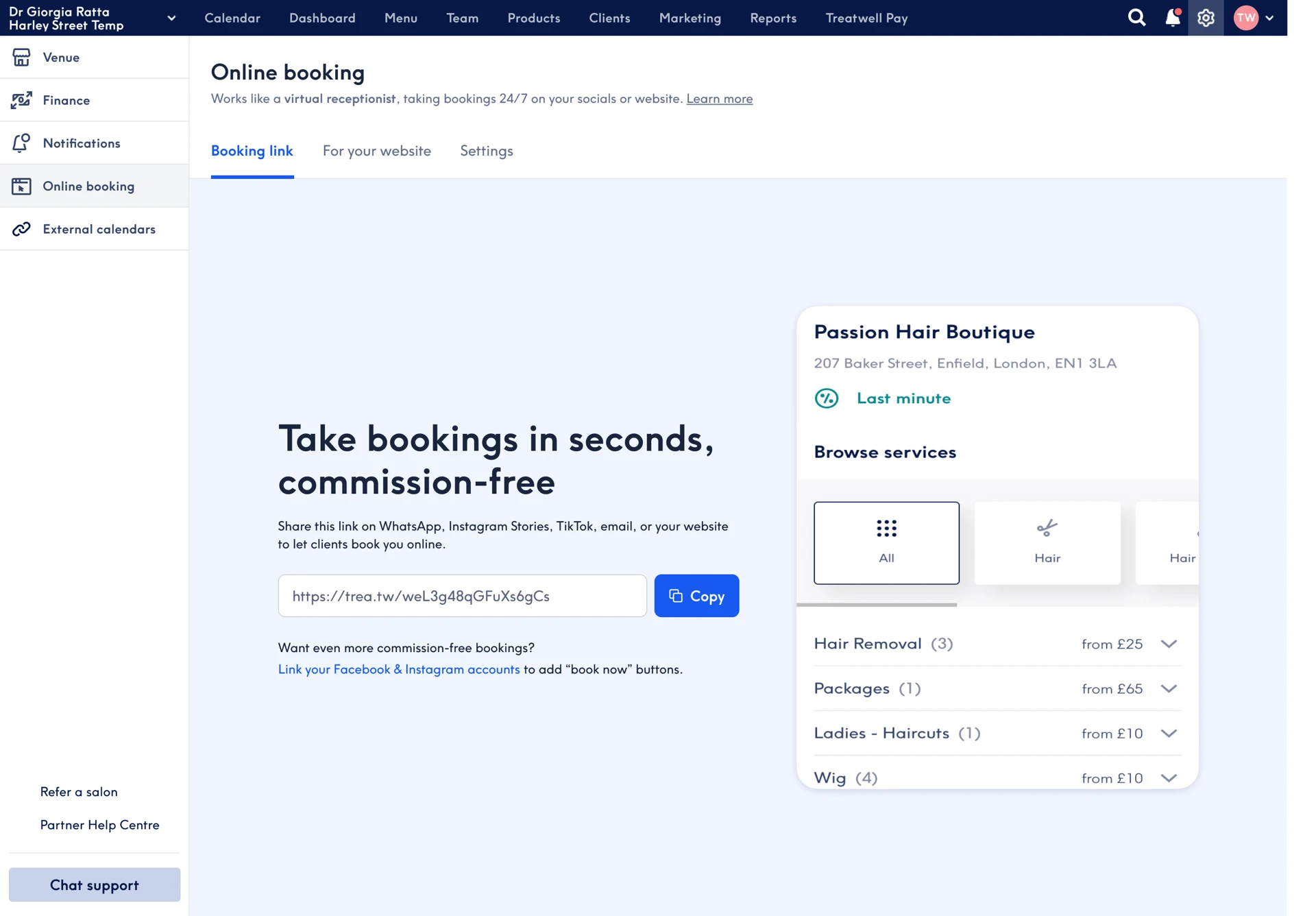
You can now find your Treatwell Online Booking link ready to share directly from your Treatwell Connect.
No digging, no searching, ready to share!
What is the Treatwell Online Booking link?
Your Treatwell Online Booking link is your unique link that lets clients book appointments directly, whenever it suits them. You can easily copy and share it across your favourite channels, making it simple for clients to find you and book their next appointment.
Why should I share my Online Booking link?
With the online booking link, clients can immediately book a time that works for them. Where you share the link is entirely up to you, but doing so from different platforms can significantly increase your visibility and your bookings.
For example, you can share your link:
In WhatsApp: add it to your messages or automated replies.
On social media: add it to your profile or share it in posts and stories.
On your website: let clients book directly with a Book Now button or booking menu.
In emails or texts: give clients a quick, easy way to book their next appointment.
The more places your booking link appears, the easier it is for clients to book when it suits them!
Where can I find my Online Booking link?
Go to Settings on the top right.
Go to Online booking in the left-hand menu of Connect.
You’ll land directly on the Booking link tab, where you can see your unique booking link.
Click Copy to copy the link and share it with your clients.
How can I add a Book Now Button to my website?
Go to Settings on the top right.
Go to Online booking in the left-hand menu of Connect.
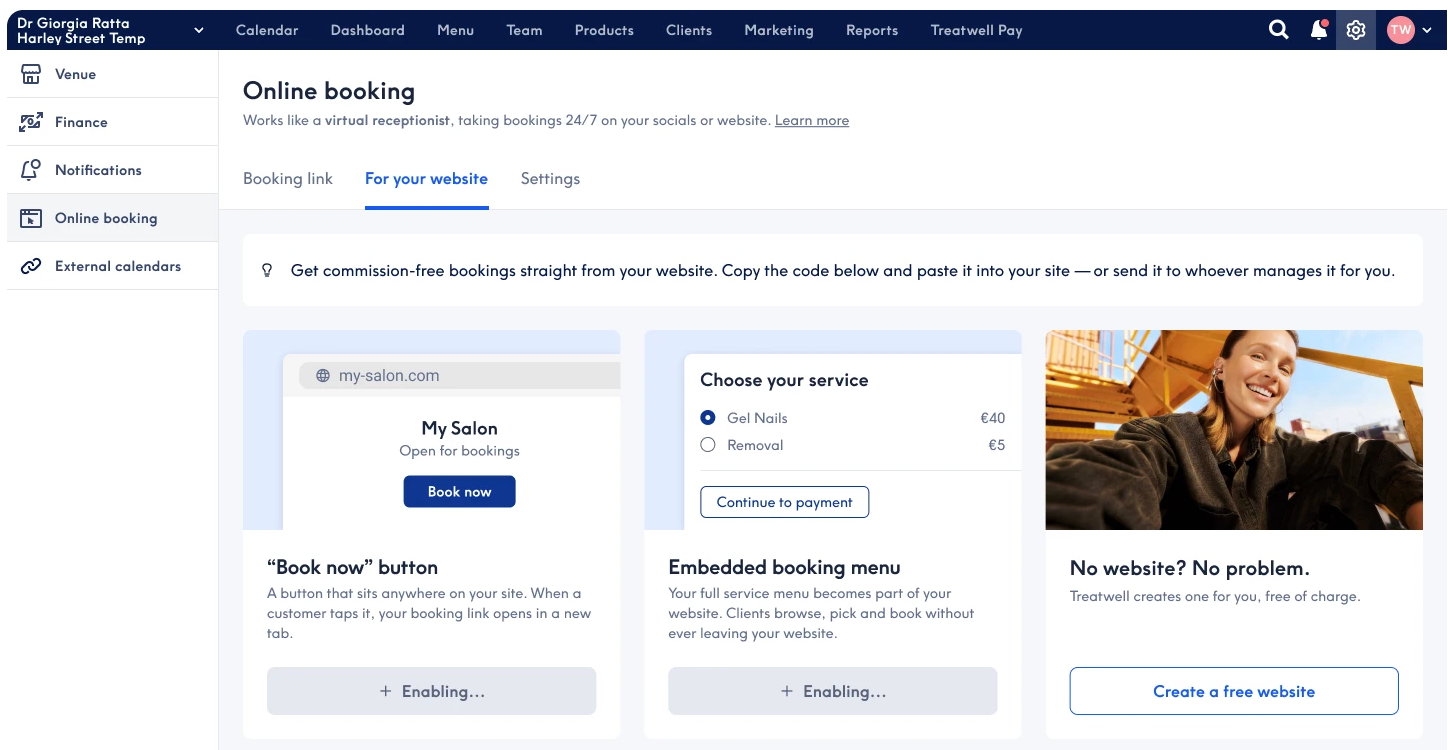
Click on ‘For your website’,
Here you will see three options:
Directly enable the Book Now Button for you website
Add an embedded booking menu to your website with one click.
No website? No problem! Click the ‘create a free website’ option and we will sort it out for you.
How can I add a Book Now Button to my social media?
Want to do more than share the booking link in posts and stories and boost bookings with a Book Now Button? Learn all about How to add a Book Now Button to your social media profiles.
Was this article helpful?