
A quick way to manage problem bookings is to block a client in Treatwell Connect. Below you’ll find how blocking works, how to block or unblock, and how to require pre-payment instead.
How does blocking clients work in Treatwell Connect?
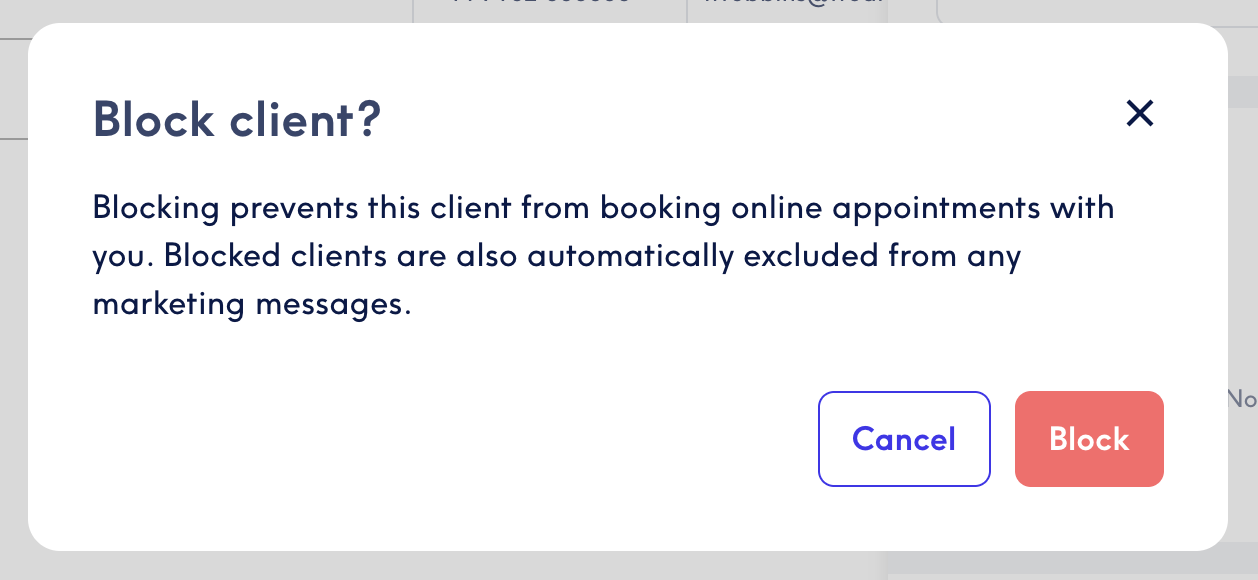
Blocking a client prevents them from making an appointment online with you via Treatwell Connect. They will also no longer receive marketing communications from you.
If a blocked client attempts to book, we will inform them that your salon is unbookable. You can unblock this client at any time if needed. Alternatively, if the issue is related to payment, you can require them to prepay to confirm the booking.
How do I block a client from booking online with me?
In Treatwell Connect on desktop or iOS, go to ‘Clients’.
Search for the client and open their profile.
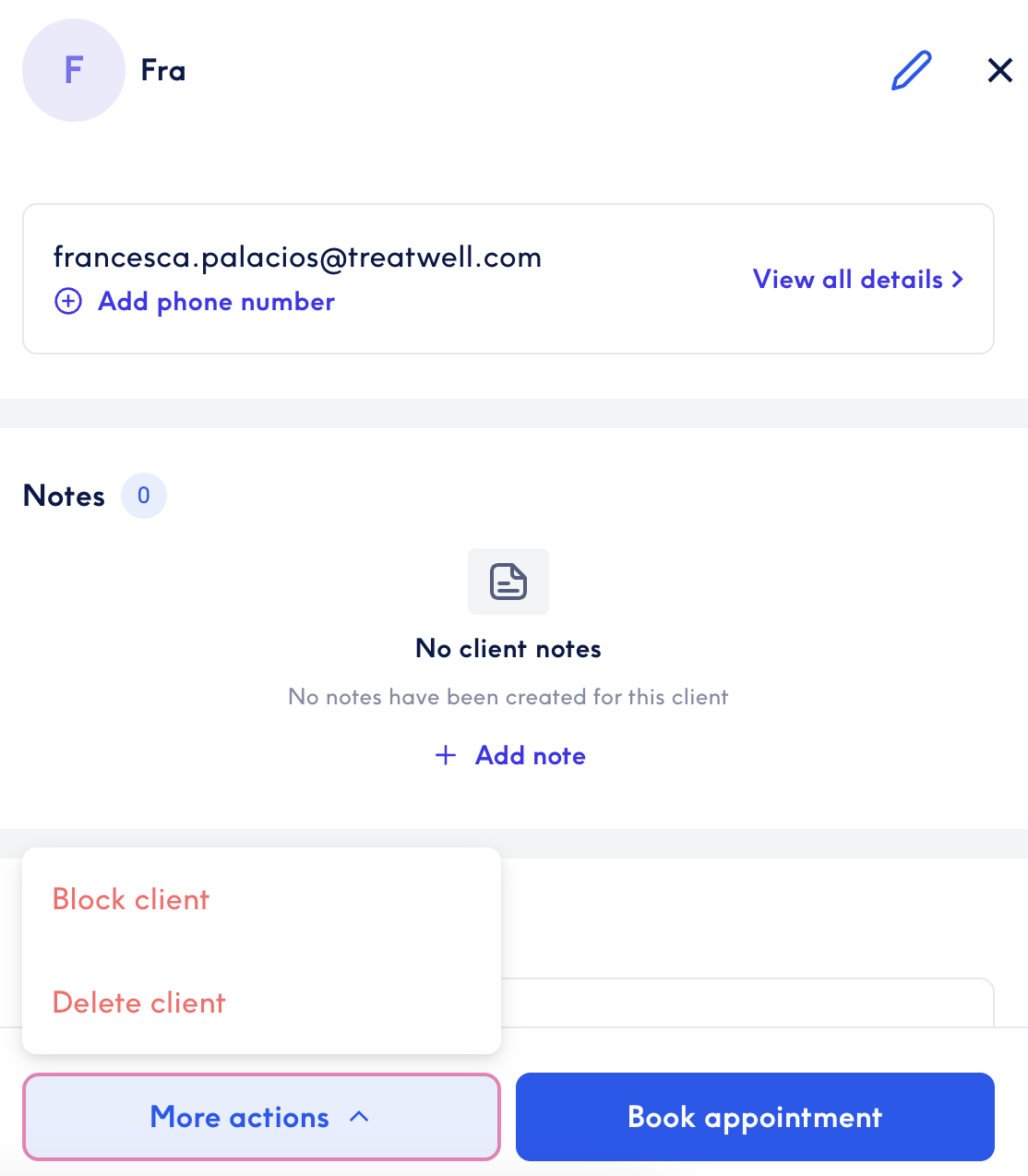
Click ‘More Actions’ and select ‘Block client’.
Confirm to block the client from booking online with you.
The client’s profile will show a banner indicating the client is ‘🚫Blocked’.
Please note that only certain team permissions are able to block customers. Find out more about this here
Tip: You may want to leave a note on their client profile for any additional context. These notes are private and not visible to the client.
How do I unblock a client?
In Treatwell Connect on desktop or iOS, go to ‘Clients’.
Search for the client and open their profile.
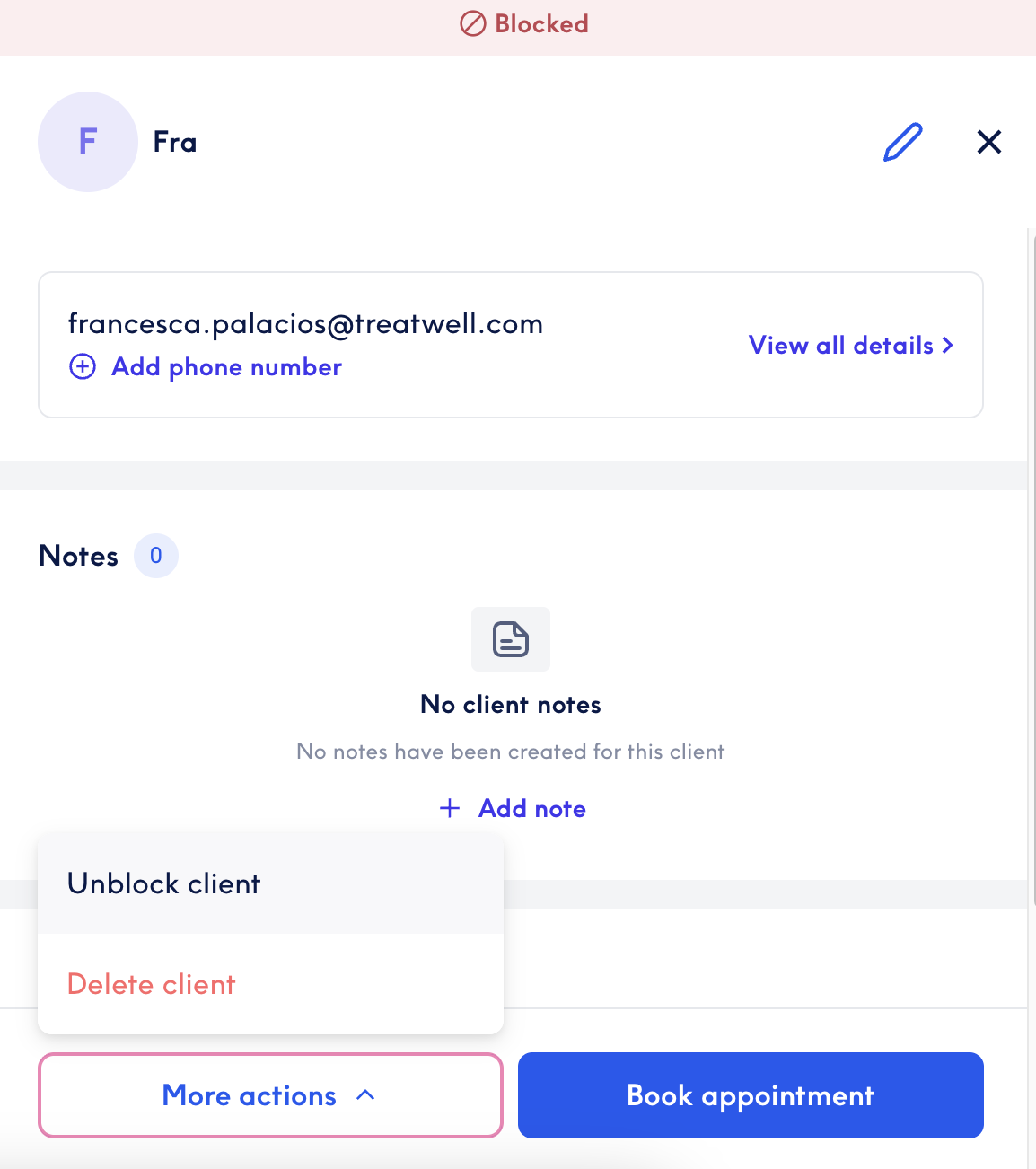
Click ‘More Actions’ and select ‘Unblock client’.
Confirm to unblock the client from booking online with you.
How do I require pre-payment for a client instead of blocking them?
If the issue is related to payment, you can require pre-payment for future appointments instead of blocking:
In Treatwell Connect, open the client’s profile from the ‘Clients List’.
Click ‘Edit profile’.
Select ‘Pre-payment required’.
Save your changes.
For more information on requiring clients to prepay only, see this article.
Was this article helpful?