
How can I use the Connect chat?
If you’ve tried searching in Treatwell Connect Help Centre but couldn’t find the answer you needed—don’t worry! With the new Treatwell Connect Chat, getting support is now easier than ever. Whether it’s help with invoices, managing your calendar, or updating your business settings, we’ve got you covered.
What is the Treatwell Connect chat?
The Treatwell Connect Chat is your go-to tool for quick assistance. Simply type in your question, and the chatbot will guide you to the right solution. Whether it’s directing you to helpful articles or connecting you to one of our experts, the chat ensures you get the support you need.
Why will I love the changes made to the chat?
Support that adapts to you: The chat starts by analysing your query and offers relevant solutions, like articles or workflows, tailored to your needs. If the chatbot doesn’t have the right answer, it will connect you to one of our experts or create an offline case for follow-up.
No question is too small: From finance-related issues to managing appointments, the chat is designed to address a wide range of topics. It’s your all-in-one support tool.
Always in control: If you find yourself on the wrong path, the “Something else” option lets you redirect your query without hassle. This ensures you’ll always get the help you need without getting stuck.
Seamless expert handovers: Before being connected to one of our experts, you’ll be prompted to provide a few details. This ensures our team has all the context they need to assist you efficiently.
Clear communication: You’ll always know what’s happening. The chatbot provides updates on both bot and expert activity, helping you understand when to expect a response.
How can I access & use the new Treatwell Connect chat?
Log in to Connect: On the main dashboard, you will see on the lower left-corner “Chat support”.
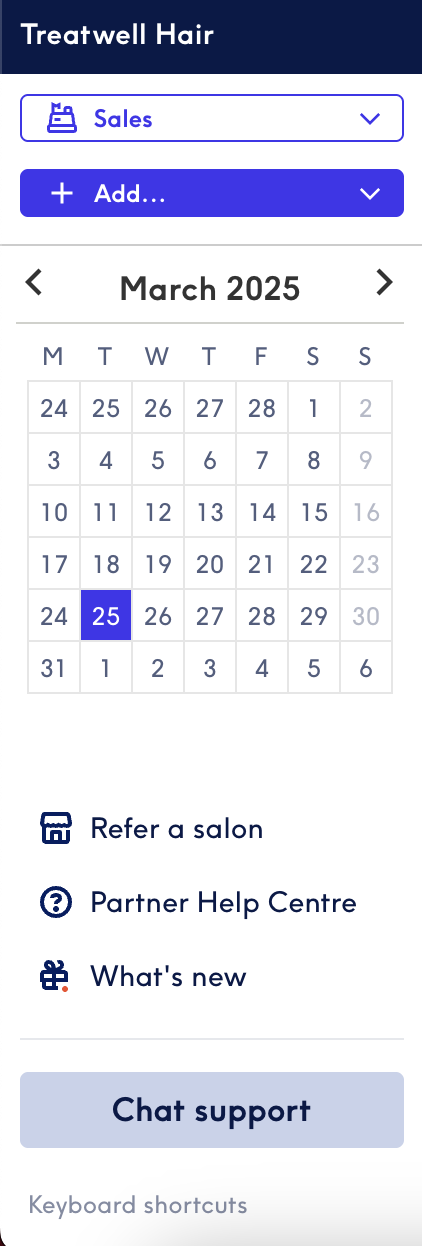
Start the conversation: Type your request into the chat. The chatbot will guide you to relevant articles or workflows.

Follow the suggested options: Select the support branch that best matches your query. If the provided option doesn’t fit, click “Something else” to refine your search.
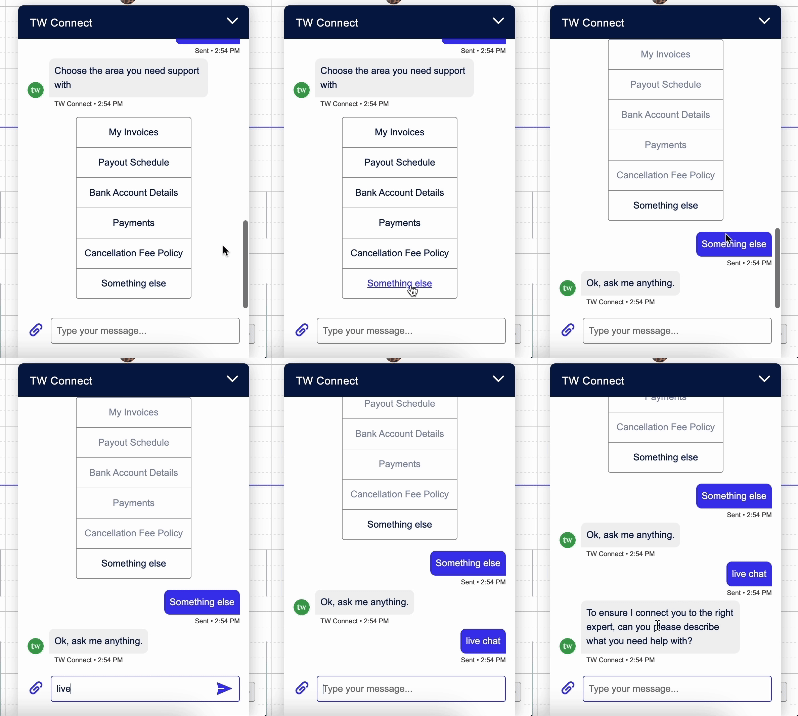
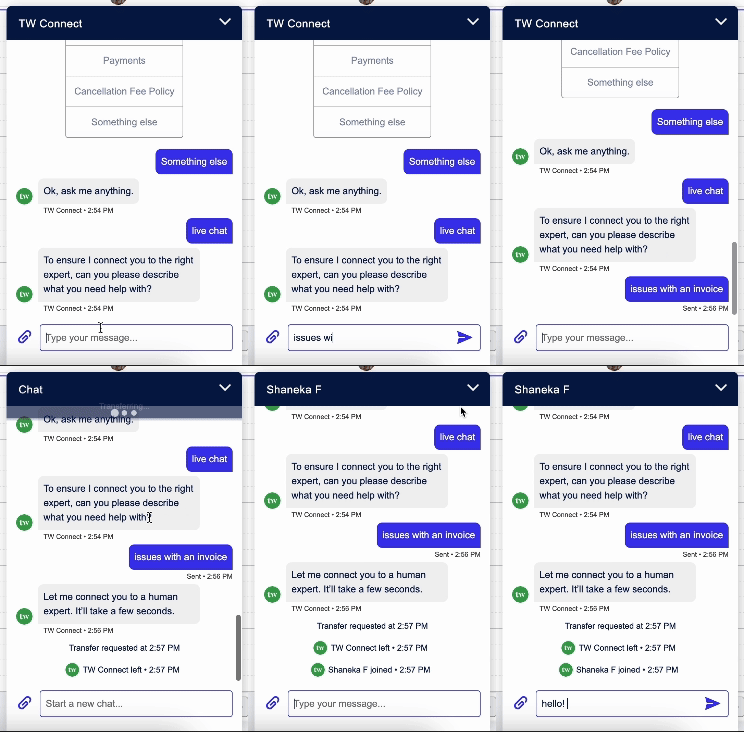
Get connected to one of our experts (if needed): If the chatbot can’t resolve your query, it will connect you to one of our experts for further assistance. If no expert is available at the moment, the chatbot will create an offline case, ensuring your request is logged and prioritized for follow-up.
Was this article helpful?