
For your AI receptionist to actually answer calls, you need to activate a dedicated phone number. This article walks you through every step.
Before you start
To activate a number you first need to have connected your Treatwell account (see the first article, How do I set up my AI receptionist for the first time?) — the receptionist needs it to see availability and take bookings.
Verify your business
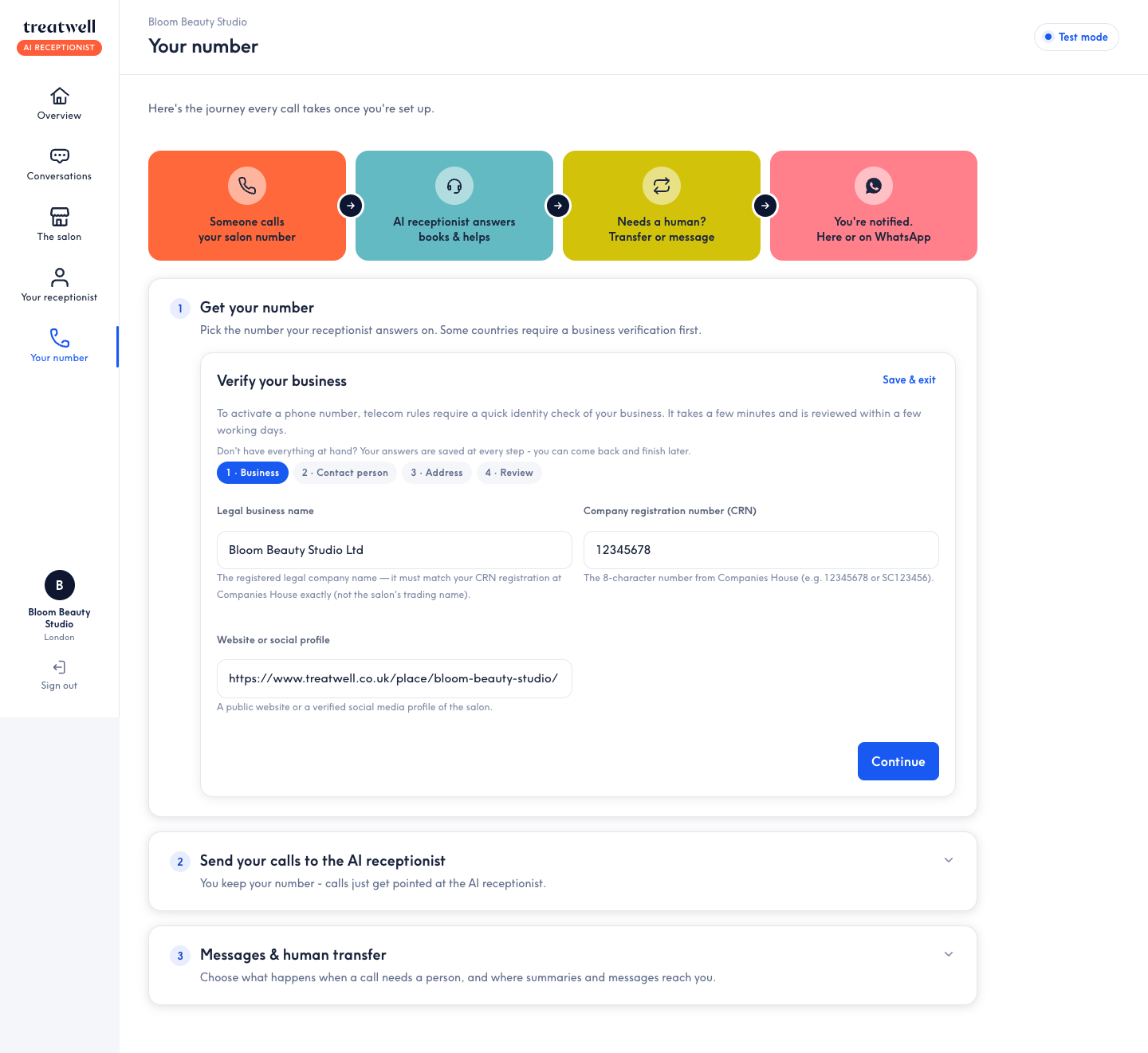
The first step of the verification: your business details.
In many countries, telecom rules require a quick identity check of your business before a number can be activated. This isn't a Treatwell check — it's a legal requirement.
The verification is split into a few simple steps:
Business — your legal business name and company registration number.
Contact person — the name and contact details of whoever represents the business.
Address — your business address.
Review — double-check everything before you submit.
💡
Don’t have everything to hand? No problem — your answers are saved at every step. You can leave with "Save & exit" and pick it up whenever you like.
🕒
Once submitted, verification is carried out by our telecom partner and usually takes about 3 working days. You'll get a notification once it's approved; if anything isn't accepted, we'll tell you exactly what to fix.
Choose your number
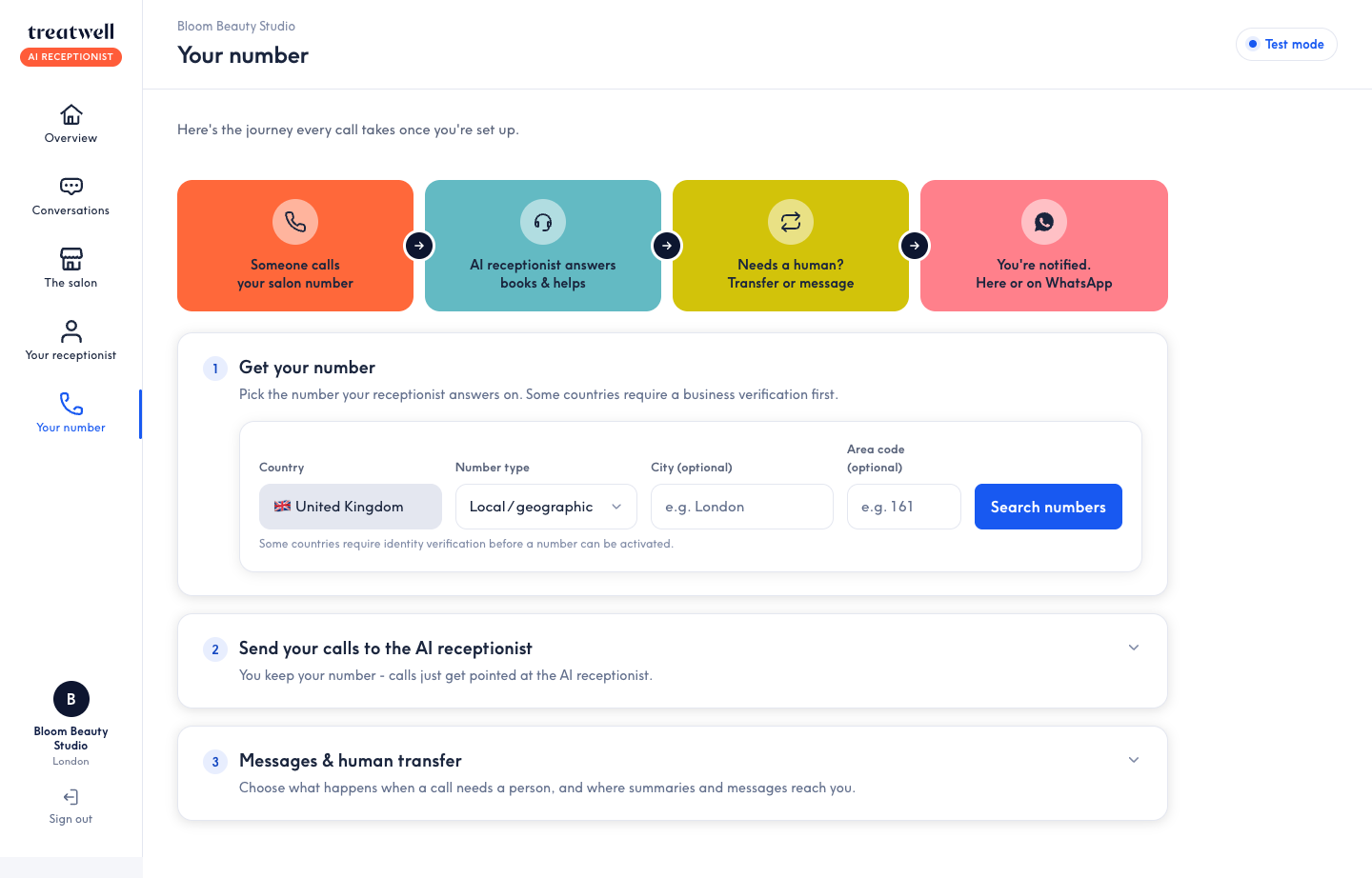
Filter by country, type, city or area code, then pick and confirm.
Once verification is approved (or right away, if your country doesn't require it), you can choose your number:
Select the country and number type (for example local/geographic).
You can narrow the search by city or area code, if you want a specific number.
Pick a number from the list and confirm activation.
📌 You can activate only one number per salon. Take your time choosing — if you ever need to change it, get in touch with your Treatwell contact.
Your number is active
Once your number shows as active, your AI receptionist can receive calls on it.
From here you can:
See your active number at the top of the Overview, alongside the "Active" status
Decide how the salon's calls reach this number — see How do I forward my salon’s calls to my receptionist?
Set up what happens when a member of your team is needed — see What happens when the receptionist can't help a client?
If you ever need help, get in touch with your Treatwell contact.
Was this article helpful?