
A simple overview of everything your receptionist can handle on its own, with no input from you.
Booking, moving and cancelling appointments
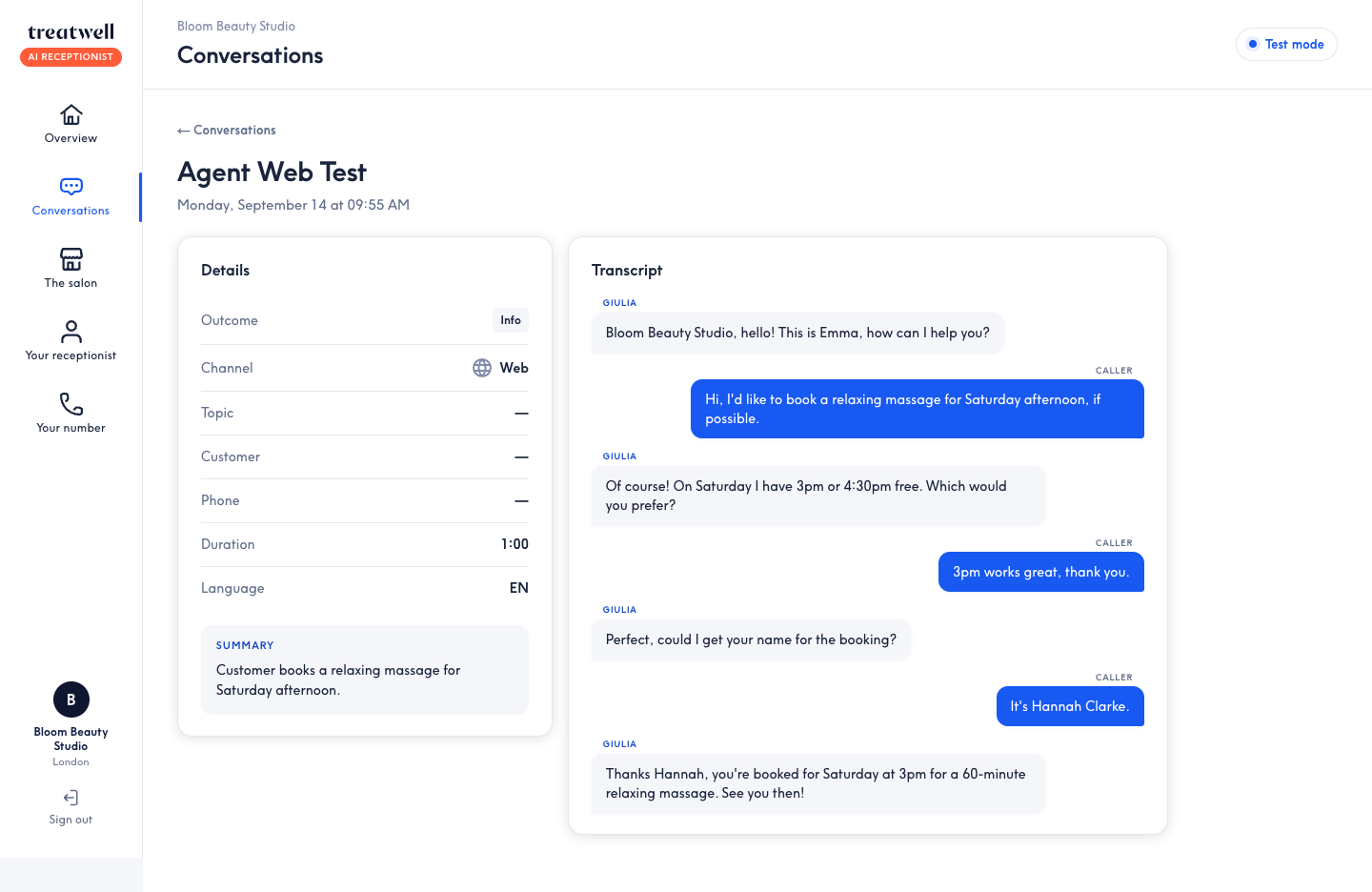
An example: the receptionist checks availability, books and confirms.
The receptionist works directly with your salon’s calendar, through the connection to Treatwell:
New bookings — it checks availability in real time and books the requested service with the right team member.
Changes — if a client wants to move or cancel an existing appointment, the receptionist finds it and updates the calendar for you.
Multi-step services — for treatments with several stages (colour, say, which involves application and processing time), the receptionist recognises the right timings and blocks the diary accordingly, with no need for you to step in.
It recognises returning clients
When a number already saved in your Treatwell system calls, the receptionist:
Greets the client by name, instead of the generic greeting used for new contacts.
Can remind them of their recent appointments, making it easier to offer "the usual".
Answering common questions
Thanks to the knowledge base you've set up (see How do I add new answers for my receptionist?), the receptionist can answer questions about parking, opening hours, payments, pets, and anything else you’d like it to know.
When a person is needed
If a request is too specific, or the client explicitly asks to speak to someone, the receptionist doesn't push back: it transfers the call to a person at the salon, or takes a message — depending on how you've set up the transfer (see What happens when the receptionist can't help a client?).
💡Every call, with its outcome, stays available to review in Conversations — so you always know what happened, even when you couldn't answer yourself.
If you ever need help, get in touch with your Treatwell contact.
Was this article helpful?